
Baby gear trends shift every year, but 2026 has a clear frontrunner: the smart baby monitor. Walk into any nursery planning session right now and you’ll hear the same debate — which model actually delivers on video quality, sleep tracking, and privacy without draining the bank account? First-time parents especially get overwhelmed fast, because the market has quietly split into two camps: traditional video baby monitors that just show you the crib, and newer wifi baby monitor systems that promise to analyze sleep patterns, breathing, and even room conditions. This guide breaks down what’s actually worth paying for in 2026, so you can make a confident choice instead of guessing.
Why Smart Baby Monitors Took Over in 2026
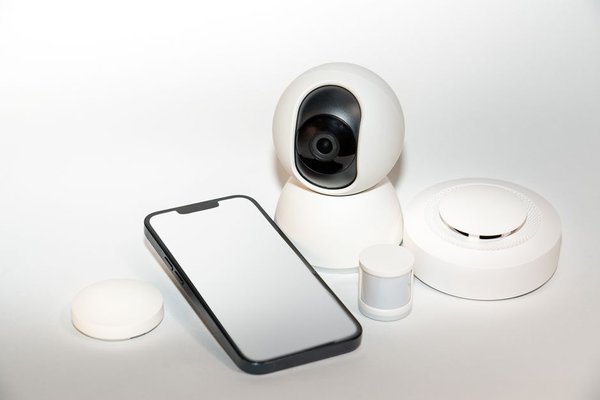
A few years ago, baby monitors were simple: a camera, a screen, maybe night vision. Today’s smart baby monitor does far more. Most connect directly to your home wifi, push live footage to your phone from anywhere, and layer in features like sleep tracking, temperature alerts, and AI-based cry detection. Parents aren’t just buying a camera anymore — they’re buying a small piece of nursery infrastructure that’s expected to integrate with the rest of their smart home setup.
This shift is also why comparison shopping matters more than ever. Not every “smart” monitor is created equal, and the price gap between a basic wifi baby monitor and a premium sleep tracking monitor can be well over $200.
What to Actually Look For Before You Buy
Video Quality and Night Vision
This sounds obvious, but it trips up a lot of buyers. A monitor can advertise “HD” and still deliver grainy, laggy footage once you’re actually watching it at 2 a.m. Look for real 1080p resolution, a wide-angle lens (so you’re not constantly repositioning the camera as your baby grows), and night vision that doesn’t wash out the picture with harsh infrared glare.
Sleep Tracking Accuracy
This is where the newer generation of monitors really separates itself from old-school video baby monitors. A proper sleep tracking monitor uses computer vision or wearable sensors to estimate sleep duration, wake-ups, and sometimes breathing motion. It’s not a medical device, and no monitor should be marketed as one, but for parents trying to understand nap patterns or troubleshoot night wakings, the data can be genuinely useful.
Privacy and Data Security
Because these are wifi-connected cameras sitting in your child’s bedroom, privacy deserves real scrutiny — not an afterthought. Check whether footage is encrypted, whether the company has had past security incidents, and whether you can disable cloud storage entirely and keep video local if you prefer. This is one area where cutting corners to save $30 isn’t worth it.
Nanit vs Owlet: The Comparison Everyone’s Searching For
If you’ve spent any time researching this category, you’ve almost certainly landed on the Nanit vs Owlet question, because these two brands dominate the smart nursery conversation in 2026.
Nanit
Nanit built its reputation as a video-first smart baby monitor with genuinely strong sleep tracking layered on top. It uses an overhead camera angle combined with computer vision to estimate sleep quality, and it pairs that with a well-designed app that turns nightly data into readable insights rather than raw charts. Parents who want a monitor that “just works” as a camera first, with sleep intelligence as a bonus, tend to lean toward Nanit.
Owlet
Owlet took a different route. Its core strength has historically been physiological monitoring — think heart rate and oxygen-adjacent metrics via a wearable sock or band — with camera features added later as the product line expanded. If your priority is closer physiological insight rather than pure video and room-level sleep tracking, Owlet tends to be the more relevant option.
Which One Should You Choose?
Neither brand is objectively “better” — they solve slightly different problems. If you want a strong wifi baby monitor experience with useful sleep pattern insights, Nanit is usually the easier recommendation for first-time parents. If you’re specifically interested in wearable-based physiological tracking and don’t mind a slightly steeper price and learning curve, Owlet earns its spot. Some families genuinely use both, treating them as complementary rather than competing tools.
Budget vs Premium: Do You Need the Expensive One?
Not every household needs a $400 sleep tracking monitor. If your main goal is simply seeing and hearing your baby clearly, a solid mid-range video baby monitor with reliable wifi connectivity, two-way audio, and decent night vision will cover 90% of use cases. The premium tier earns its price tag through sleep analytics, app polish, and longer-term data trends — genuinely valuable for parents who like data, but not essential for everyone.
A practical approach: start with your budget ceiling, then work backward. Decide if sleep tracking is a “must-have” or a “nice-to-have,” and let that single decision guide you toward the right tier rather than getting lost comparing feature lists line by line.
Setup and Everyday Reliability
One thing comparison charts rarely mention is how a monitor behaves after the first excited week of ownership. Does the app crash? Does the wifi connection drop when you walk to another room? Does the battery in a portable unit actually last through the night? These day-to-day reliability factors matter more, long term, than any single spec. When researching before you buy, spend a few extra minutes reading recent user reviews specifically about app stability and connection dropouts — not just the initial unboxing impressions.
Frequently Asked Questions
Is a smart baby monitor worth it over a basic one?
For most parents, yes — the added peace of mind from remote viewing, alerts, and sleep insights tends to outweigh the extra cost, especially if you travel or want to check on your baby from another room without carrying a separate handheld unit.
Do wifi baby monitors work without internet?
Some models offer a local, non-wifi viewing option as a backup, but most smart features — remote access, cloud recording, sleep tracking — require an active internet connection to function fully.
How accurate is sleep tracking on baby monitors?
It’s a helpful estimate rather than a clinical measurement. These monitors are good for spotting patterns and trends over time, but they shouldn’t be relied on for medical decisions.
Is Nanit or Owlet better for a first-time parent?
Nanit generally suits parents who want a strong all-around video baby monitor with useful sleep insights built in, while Owlet appeals more to parents specifically interested in wearable-based tracking. Both are reputable, well-established options in 2026.
Final Thoughts
There’s no single “best” smart baby monitor for every family — only the best one for your priorities. If you want dependable video and app-based sleep insights, Nanit is a strong starting point. If wearable tracking matters more to you, Owlet deserves a closer look. Either way, focus less on marketing buzzwords and more on the fundamentals: clear video, reliable wifi performance, and a privacy policy you’re actually comfortable with. Get those right, and you’ll have picked a monitor that earns its place in the nursery long after the new-parent excitement wears off.